


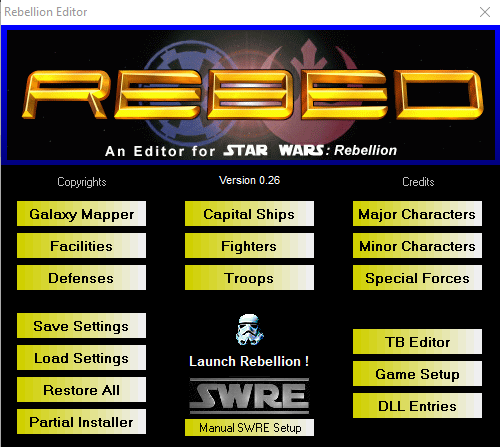
Rebellion Editor
This amazing program was developed by a team called "Revolution", I estimate sometime around 1999-2001 shortly after the game was released by LucasArts. (back in the days of AIM and ICQ). Some of its contributors or team members were among those who were founding members of this website and community, such as Skippy, Sesswanna and a few others.
The coding team "Revolution" disappeared shortly thereafter (approximately 2000-2001) and haven't been heard from since by any of us in the community. The source code is also lost to us, so these are the original files from the days of Windows 98 which amazingly enough still work with WIndows 10/11 and with the Steam, GOG and Origin versions of Rebellion.
Limited support is available in our #game-support channel on our Discord, however we did not create this program nor do we have the source code so we cannot improve, update, or patch it.
We are, however, pleased to be able to continue hosting the files for this amazing editor for download by members of this community and any others out there who still play this amazing game.
Credits

You may only provide a review once you have downloaded the file.
There are no reviews to display.